01
Read the cash flow and plan outlook
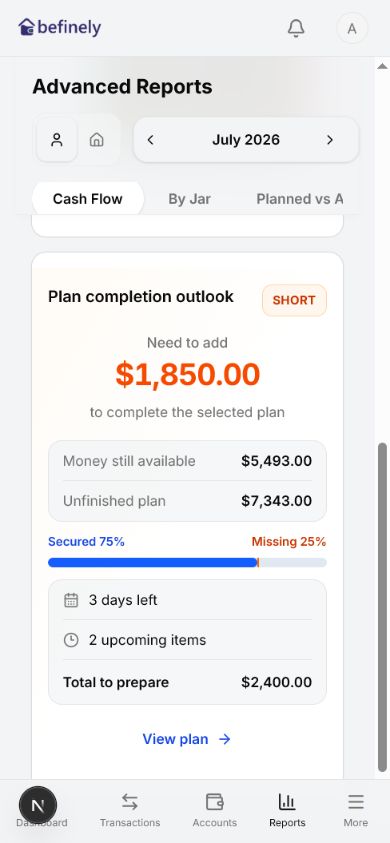
Choose an anchor month, then use the multi-month chart and Plan completion outlook to see the funding gap, days left, and upcoming plan items.
Read reports from two angles
Choose an anchor month, then use the multi-month chart and Plan completion outlook to see the funding gap, days left, and upcoming plan items.
See every category with transactions across 3, 6, or 12 months, compare the mini columns, and open a category to view filtered transactions.
Open the feature and start building your budget history with your own data.